Stop Drowning in Business Emails — Let AI Handle Them
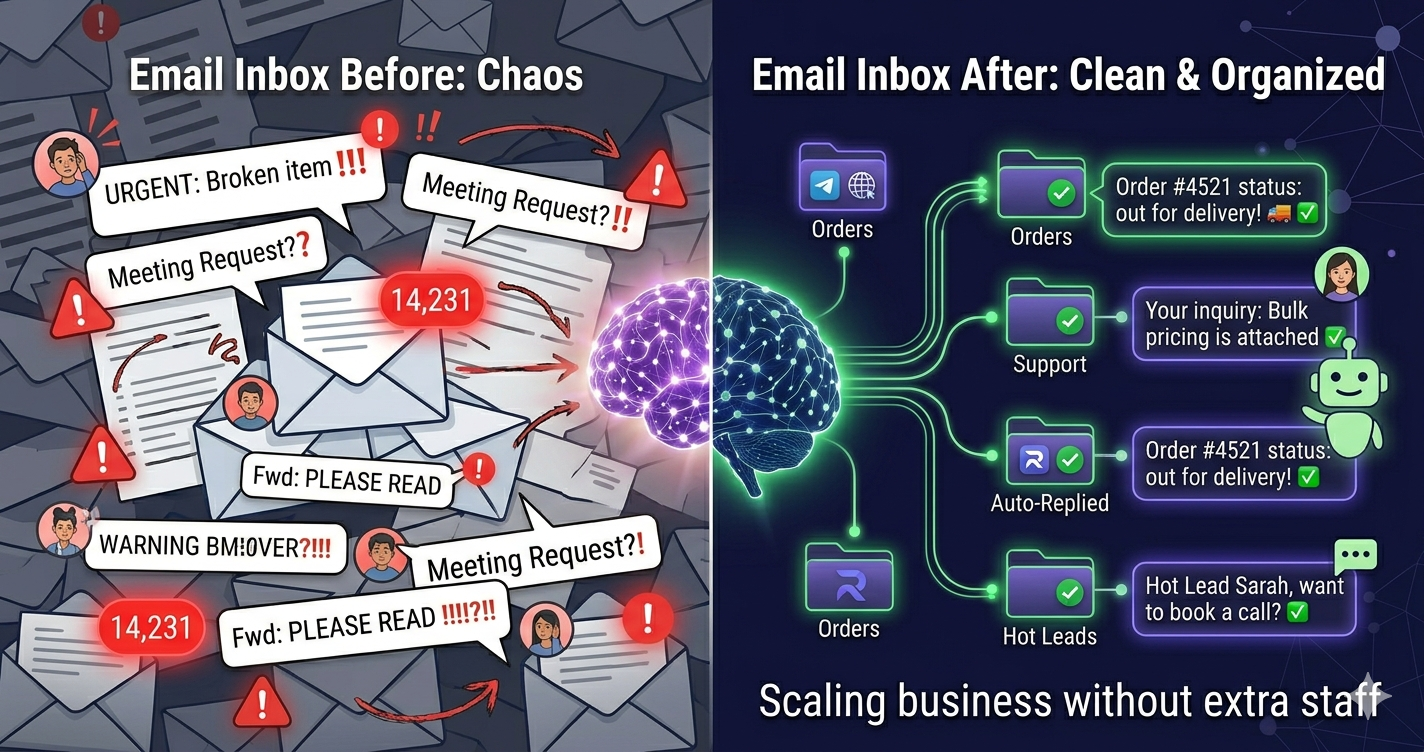
423 unread emails. Half are spam. A quarter are urgent customer inquiries you missed 3 days ago. Another quarter are internal team messages buried under noise. Sound familiar? Let's fix this permanently.
The Email Overload Epidemic
Business email in 2026 is broken:
- Average business owner: Receives 150+ emails daily
- Time spent on email: 2.5 hours per day
- Important emails missed: 23% on average
- Spam/irrelevant: 40-60% of inbox
You can't ignore email—important customers, suppliers, partners all use it. But you also can't spend 3 hours daily managing your inbox. You need a better system.
How AI Reads and Understands Your Emails
Let's demystify how this actually works:
Step 1: Secure Connection
You connect RagLeap to your Gmail/Outlook/any IMAP email using encrypted credentials (more on security below). RagLeap gets read-only or full access based on your preference.
Step 2: AI Reads Every Email
RagLeap's AI scans your inbox continuously (every 5 minutes by default, adjustable). For each email, it analyzes:
- Sender (customer? supplier? spam?)
- Subject line
- Email body content
- Tone (urgent? casual? angry?)
- Action required (inquiry? complaint? order? information?)
Step 3: Smart Categorization
AI automatically sorts emails into categories:
- 🔥 URGENT: Customer complaints, time-sensitive requests, payment issues
- 💰 Customer Inquiries: New business opportunities, product questions
- 📦 Orders/Operations: Order confirmations, shipping updates, supply chain
- 👥 Internal: Team messages, internal updates
- 🗑️ Spam/Low Priority: Marketing emails, newsletters, junk
See AI Email Management in Action
Connect Gmail/Outlook in 2 minutes. Free trial. See your inbox organized automatically.
Start Free TrialAuto-Categorization Explained
Here's a real-world example of how RagLeap categorizes a typical business inbox:
Email 1: Customer Inquiry
From: Priya Sharma <[email protected]>
Subject: "Looking for silk sarees for wedding"
Body: "Hi, I'm looking for red or pink silk sarees under ₹15,000. Do you have options? Need within 2 weeks for cousin's wedding."
AI Analysis:
- Category: 💰 Customer Inquiry (WARM lead)
- Urgency: Medium (2 weeks timeline)
- Intent: Purchase
- Products mentioned: Silk sarees, red/pink, under ₹15K
AI Action: Draft reply + Telegram alert to you with summary
Email 2: Angry Customer
From: Rajesh Kumar <[email protected]>
Subject: "VERY DISAPPOINTED - ORDER DELAYED 5 DAYS"
Body: "This is unacceptable! I ordered on March 25, you said 3-day delivery, it's March 30 and STILL NOT DELIVERED..."
AI Analysis:
- Category: 🔥 URGENT - Complaint
- Sentiment: Angry
- Issue: Order delay
- Order #: Extracted from email thread
AI Action: IMMEDIATE Telegram alert: "🚨 URGENT: Angry customer - order delay. Rajesh Kumar, Order #1234. Respond ASAP."
Email 3: Newsletter
From: [email protected]
Subject: "Summer Sale - 50% Off!"
AI Analysis:
- Category: 🗑️ Low Priority/Marketing
- Spam score: Low (legitimate company)
AI Action: Auto-archive or mark as low priority. You never see it unless you want to.
Getting Notified of Urgent Emails on Telegram
This is the game-changer. Instead of checking email 50 times daily, you get Telegram alerts ONLY for what matters:
How It Works:
- Urgent email arrives (customer complaint, high-value inquiry, time-sensitive request)
- AI analyzes and determines urgency level
- You get instant Telegram notification on your phone:
📧 URGENT Email Alert
From: Priya Sharma
Subject: Saree order - need urgent confirmation
Summary: Customer wants to place ₹45K order but needs confirmation by today evening. HOT lead.
💡 AI drafted reply (review below) or handle manually?
- You open Telegram, read summary, decide action—all from phone
Result: You never miss important emails, but you're not constantly checking inbox.
Draft Replies Feature
For customer inquiries, AI can draft professional replies for you to approve:
Example:
Customer Email: "Do you ship to Hyderabad? How long does delivery take?"
AI Draft Reply:
Hi,
Yes, we ship to Hyderabad! Delivery typically takes 3-5 business days via Blue Dart. Shipping charges are ₹150 for orders under ₹2,000, and FREE for orders above ₹2,000.
Would you like to place an order? I can help you with product selection.
Best regards,
[Your Business Name]
You review on Telegram, approve with one tap, or edit and send. 10 seconds instead of 3 minutes typing.
Setting Up Email AI in RagLeap
For Gmail Users:
- RagLeap dashboard → Connect Email → Choose Gmail
- Authorize Google OAuth (secure official Google login)
- Done! RagLeap now monitors your Gmail
For Outlook/Office 365 Users:
- Connect Email → Choose Outlook
- Authorize Microsoft OAuth
- Done!
For Other Providers (IMAP):
- Connect Email → Choose IMAP
- Enter: Email address, IMAP server (e.g., imap.mail.yahoo.com), Password/App Password
- Test connection → Save
Time required: 2-3 minutes total.
Try Email AI Free
Connect any email provider. See AI categorization instantly. Cancel anytime.
Start Free TrialSecurity: How Your Credentials Are Protected
This is important. You're giving RagLeap access to your email—how is it secured?
1. OAuth for Gmail/Outlook (Recommended)
When you connect Gmail/Outlook, you use official Google/Microsoft login (OAuth). RagLeap never sees your password. Google/Microsoft handle authentication, RagLeap gets a secure token.
2. Encrypted Storage
For IMAP providers, your email password is encrypted using AES-256 encryption before storage. Even RagLeap employees cannot see your password in plain text.
3. Read-Only Option
You can grant "read-only" permission—RagLeap can read emails and alert you, but cannot send emails on your behalf. You retain full control.
4. Revoke Anytime
Disconnect email integration with one click. Access is immediately revoked.
5. SOC 2 Compliance (In Progress)
RagLeap is pursuing SOC 2 Type II certification for enterprise-grade security standards.
Advanced Features
Email Analytics Dashboard
- Response time metrics (average time to reply)
- Email volume trends (peak days/hours)
- Category breakdown (% customer vs spam vs internal)
- Sentiment analysis (% positive, neutral, negative emails)
Custom Categorization Rules
Teach AI your specific categories:
- "Emails from [email protected] should go to 'Supplier Orders' category"
- "Emails with subject containing 'URGENT' should always alert me"
- "Emails from [email protected] are internal, low priority"
Auto-Reply Templates
Set templates for common scenarios:
- "Out of office" during vacation
- "Business hours are 9 AM - 6 PM" for after-hours emails
- "We received your inquiry and will respond within 24 hours"
ROI: Time Savings Calculation
Let's do the math:
Before AI:
- 150 emails/day
- Average 1 minute per email to read/categorize/decide = 150 minutes = 2.5 hours daily
- Monthly: 50 hours on email management
With AI:
- AI handles 90% automatically (135 emails)
- You handle 15 important emails only (urgent + complex inquiries)
- Time: 15-20 minutes daily
- Monthly: ~8 hours
Time saved: 42 hours/month (5 full workdays recovered)
Best Practices
- Review AI drafts before sending — Especially for first 2 weeks while AI learns your tone
- Train AI on mistakes — If AI miscategorizes, correct it: "This should be urgent, not low priority"
- Set urgency criteria — Define what "urgent" means for your business
- Check spam folder weekly — Occasionally important emails land there
- Keep human in loop for sensitive topics — Legal issues, HR matters, major complaints
The Bottom Line
Email doesn't have to be overwhelming. In 2026, you have AI that can:
- Read every email within seconds
- Categorize with 95%+ accuracy
- Alert you only for what matters
- Draft professional replies
- Work 24/7 without fatigue
For ₹2-3K/month (RagLeap + AI usage), you save 40+ hours monthly. That's 5 extra days to actually grow your business instead of drowning in inbox zero anxiety.
The question isn't "Should I use AI email management?" It's "Why am I still doing this manually?"
Achieve Inbox Zero Today
Free trial. Connect email in 2 minutes. See AI magic instantly.
Get Started Free